Blog Feed
📍 Find this in the app: Admin Panel → Content → Page Editor (
/admin/page-editor) — add a block and pick Blog Feed.
Shows your latest blog posts automatically, newest first. Posts are written under Content → Blog Posts; as soon as you publish one, it appears here.
This is how the block looks on a stable website (example content):
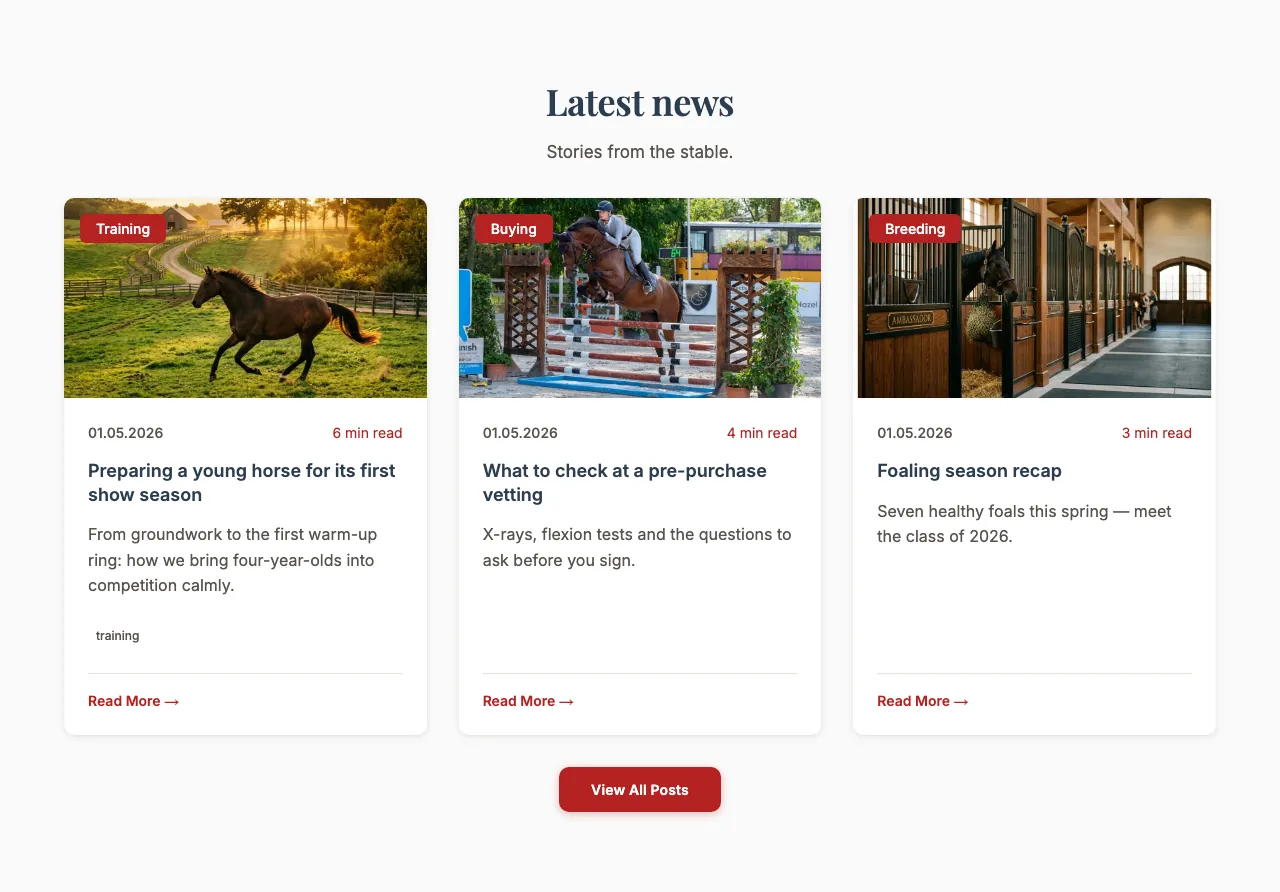
Content
- Heading and Description: Optional introduction above the posts.
Settings
- Display style:
- Default: Post cards, arranged with the layout below.
- Featured (first post large): The newest post large, the others smaller beside it.
- Magazine layout: A mix of large and small posts, like a magazine page.
- Editorial (typographic index list): A numbered list of titles with date, reading time and category. On a computer the post's photo slides open when a visitor points at a row; on phones a small photo is always shown.
- Image framing: Show top, Centre or Show bottom — which part of each post photo stays in view when it's cropped.
- Maximum items shown: How many posts to show (up to 10).
These two only appear with the Default style:
- Layout style: Card grid, Sliding carousel or List (below each other, with a small photo).
- Number of columns — not for Sliding carousel: How many posts sit next to each other on a computer screen: 2, 3 or 4.